


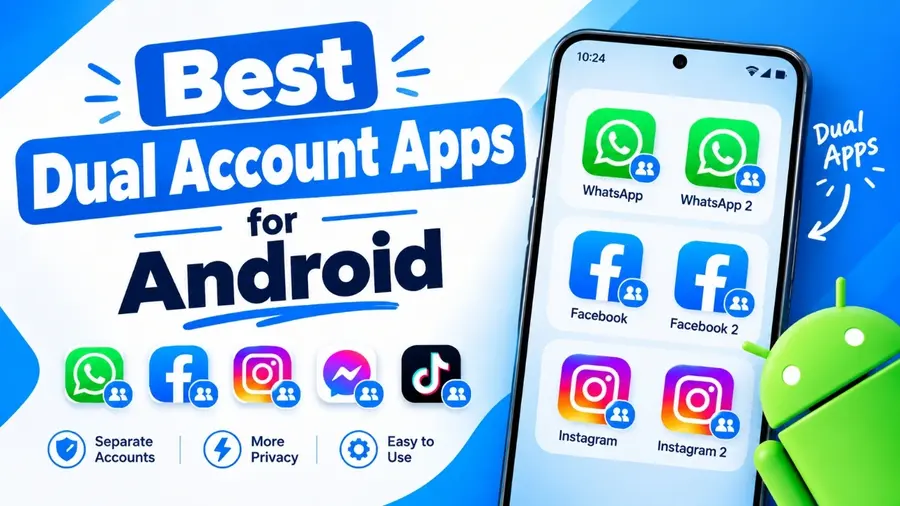

Many people today have to do a lot of business calls and messages while at the same time having personal conversations on a daily basis. Running two separate instances of the same service on a single handheld device is possible with the help of knowing how to create a dual app on Android
If you have to deal with business conversations on a different app or monitor several social media pages, app duplication will save you the aggravation of logging out multiple times. The procedure for setup varies depending on the device manufacturer, the build of your OS, and the particular dual apps for Android that are supported by your mobile operating system.
What Is a Dual App on Android?
A dual app is a separate, standalone copy of an application that runs in addition to the main application on the storage drive. The facility enables users to operate two accounts at once on one phone so that there are no conflicts in the databases between the various applications installed on the phone.
But it is important to know that having a twin doesn’t mean having another network or another cell phone number. Valid login credentials and/or registration numbers or active profiles for the target application are still necessary to clone apps on Android.
Benefits of Creating Dual Apps on Android
It’s useful for people who are doing a lot of different digital work on the same screen, for a number of different reasons. The built-in dual APP function helps to optimize the working process and makes it easier to use digital communication tools every day.
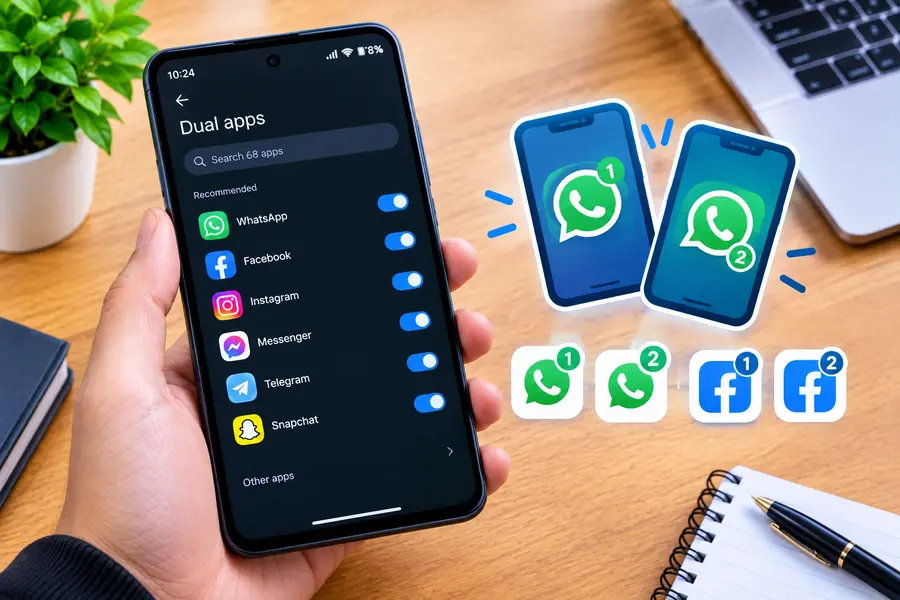
Separating your personal and professional communications keeps you from having an unhealthy work-life balance on your personal device.
- Separating your personal and professional communications keeps you from having an unhealthy work-life balance on your personal device.
- In the messaging platforms, you can have 2 active lines, enabling you to answer inquiries without bringing a second gadget or changing physical SIM cards.
- Using multiple social feeds is a convenient way to post a marketing campaign from your business account while you’re surfing your personal account.
- You can be sure of any urgent notifications from your secondary profile without needing to go back to your primary profile, as the notifications come to you independently.
Running two instances is very convenient, but users are advised to consider the performance of the hardware when using it on a daily basis. This doubles up the system storage and can slightly drain batteries over time.
How to Create a Dual App on Android Using Built-In Settings
Most manufacturers of Android smartphones offer inbuilt system tools that enable you to safely duplicate popular communication platforms. The easiest way to get started, without having to install third-party tools, is to check the native Android dual apps settings.
This feature is contained within a special duplication menu in your main settings menu. Although interface labels differ by brand, the sequence of settings for configuration of the system is the same for most modern Android devices.
- Tap the Device Settings app on your phone.
- Look for Dual Apps, App Cloner, or Dual Messenger.
- Click on the appropriate answer in the search results.
- Choose the application you wish to duplicate from the list.
- Switch the “duplicate” switch to install the second copy.
- Check the launcher for the new icon.
- Start the dual operating system, and log in using your second account.
After installation, the second icon will display a small graphic icon. This separation enables you to manage any number of accounts on Android, and maintain individual user preferences through it.
How to Create Dual Apps on Different Android Phones
Due to each smartphone brand using its own software skins over Android, the process of duplication varies from brand to brand. Having knowledge of how your particular brand has applied Android application cloning will assist you to move through menus rapidly without making any type of software application navigating errors.
Create Dual Apps on Xiaomi, Redmi, and POCO Phones
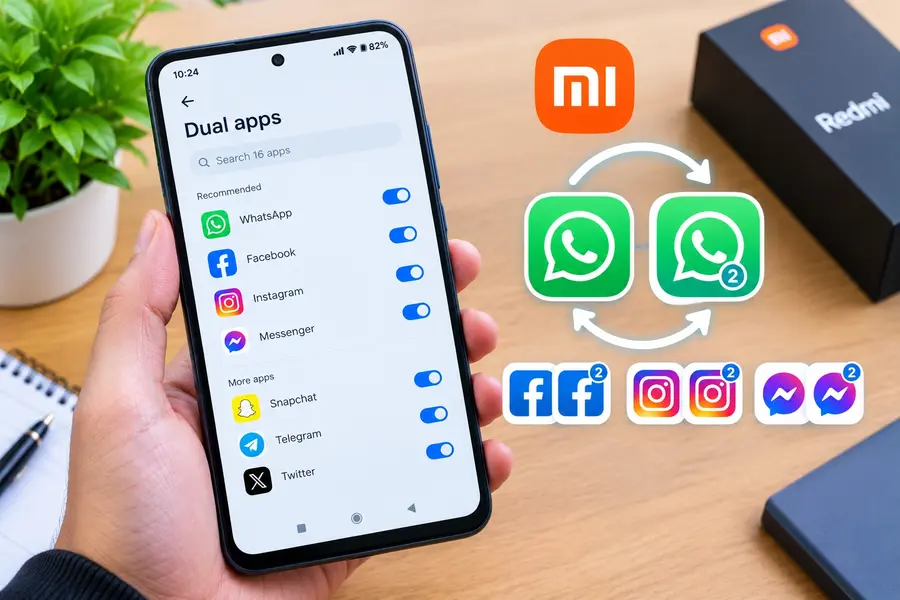
Both MIUI and HyperOS come with one of the most complete duplication engines for mobiles. The inbuilt Xiaomi Dual Apps utility lets you duplicate a variety of social applications, communications and cell video games on your handset screen.
To set up this tool, go to Settings, scroll to Apps and hit Dual Apps. Changing the switch between the app you’ve selected and the other one you have enabled creates an instant twin with a clear badge for the user, which also gives a seamless experience between the two active logins.
Create Dual Apps on Samsung Phones
Samsung’s approach to app duplication is a dedicated communication application based on messaging platforms. This convenient Samsung Dual Messenger feature manages work conversations in supported social and chat platforms.
This is found under Settings Advanced Features Dual Messenger. From here, turn on the toggle next to the supported platform, and install a duplicate version that will run on your Samsung device without tampering with the original app data.
Create Dual Apps on OPPO and Realme Phones
The built-in utility designed for social media duplication is available on both handsets with ColorOS and Realme UI. The native OPPO App Cloner ensures a secure setting where secondary accounts can be operated without affecting the stability of the system.
In the App Management section of your phone Settings, click on the Clone Apps or App Cloner option. Choose the matching app, enable the clone switch and give the secondary icon a new name so that you don’t get mixed up in the list of apps on the Android home screen.
Create Dual Apps on OnePlus and Other Android Phones
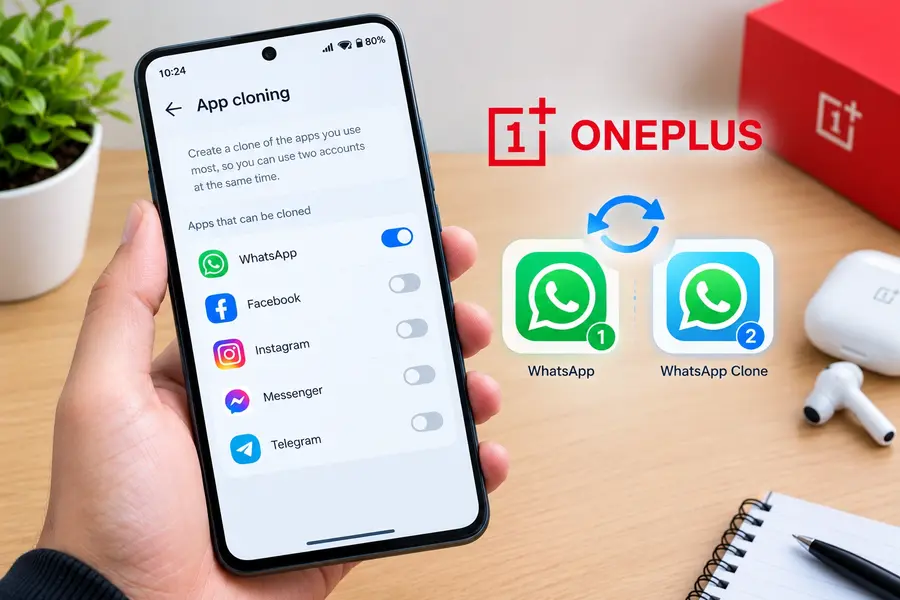
There is a native function on OxygenOS of OnePlus which is popularly referred to as Parallel Apps or App Cloner. A search in the settings menu for these words will lead you to the duplication controls where you can control your second account on your OnePlus.
If your model and or region software build doesn’t have an integrated cloning toggle, that is okay. There are a number of other system tools and account-management options available that enable you to do the same thing without sacrificing data security on your mobile phone.
How to Create a Dual App When Your Phone Does Not Support App Cloning
When your phone doesn’t support app cloning, you can create a dual app by using a third-party app.If your phone doesn’t support app cloning, you can create a dual app with a third-party app.
Proprietary manufacturer cloners tools are frequently not included in the software build for Stock Android handsets such as the Google Pixel devices.
Thankfully, Android work profiles offer an enterprise level security bubble that fully separates work apps from personal files.In the past, many popular applications have integrated multi-account switchers into their user interface. This inbuilt account switching ability enables you to switch between accounts without triggering an app cloning feature.
If no in-app feature or switcher is available, some users will investigate the possibilities of other cloning tools offered by the official app stores. Be careful of outside developers and check the permissions they ask for before allowing their installation otherwise, you risk having your personal data and sensitive information accessed by other people.
How to Use Two WhatsApp Accounts on One Android Phone
One of the most popular reasons users are looking for a WhatsApp duplicator is to manage multiple WhatsApp numbers on a single mobile device. The changes have also made an official multi-account function available, enabling users to register a second number right inside of the official WhatsApp application, without the use of an external program.
You can also use the primary client along with the official WhatsApp Business partnering application, or you can use your manufacturer’s cloning setting. Regardless, keep in mind that each profile needs to have a genuine telephone number to finish SMS verification and to set up cloud backup syncing.
Common Problems With Dual Apps and How to Fix Them
While duplication of apps is generally accurate, some users may find that their notifications are missing, app sync is delayed or there are unexpected crashes. The majority of these glitches are due to background battery management policies that allow “sleep mode” to take place inside your device operating system to conserve battery life.
- Unrestricted battery management will ensure that your duplicate application syncs up smoothly in the background and that you don’t miss an alert.
- Checking available storage will stop crashes: Running twin apps will need enough internal storage to store separate cached files.
- The latest software updates resolve any root cause issues that may lead to frozen cloned tools when logging into an account or playing media.
- Confirming minimum permissions needed for the app enables the clone to access the microphone, camera, and contacts without raising permission errors in your system settings.
Are Dual Apps Safe to Use?
However, native manufacturer duplication tools are completely safe, as they run through your phone’s trusted, built-in security system.
The Smartest Way to Handle Multiple Accounts on Android
These features are integrated, which means that there is no sharing of your credentials with third parties, and that they will not circumvent the regular security procedures set by your hardware manufacturer.
Related article: How to Block and Unblock Numbers on Android – Block & Unblock Android Numbers
Third-party cloning software from untrusted sources may pose security issues, however. Always use non-adjusted APK packages, secure your 2FA codes and ensure strong account security protections are set for all your online services to help protect your accounts.
| Android Dual Apps |
|---|
| Multiple Accounts Android |
| App Cloner Android |
With the knowledge of creating a dual app for Android, you can have the best of both worlds in one smartphone. Duplicate applications ensure proper communication management, whether you use Samsung Dual Messenger.
Xiaomi Dual Apps, OPPO App Cloner or secure work profiles. Spend a few seconds checking for certain features on your device, confirm necessary permissions, and experience running multiple profiles without any hassle on your mobile device.