



In this article, we will tell you that if you want to put your favorite song ringtone on your invite phone. Then this is a very easy way, it does not require any special technical knowledge, just save your favorite song in the phone first.
First, open the settings of your phone and go to the sound and vibration option. Here you will find the option of ringtone or phone ringtone. Tap on it Now a list of phone ringtones will appear. To make your song as a ringtone, find the option of Add Plus or Choose from file.
When you tap on it, you can select your favorite song in the phone, after selecting the song, you have to click on save and then when you call your phone, your favorite song will play as ringtone.
Why Choose a Custom Ringtone on Android?
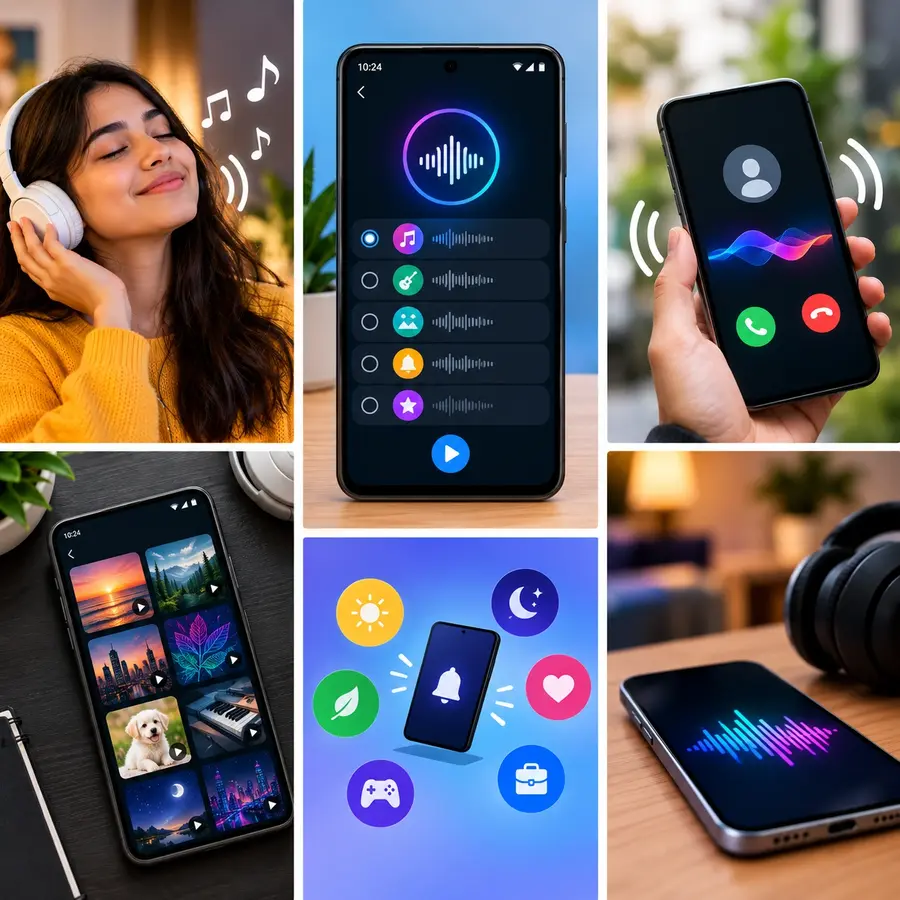
Android phone supports many common audio formats, among them MP3 is the most common and easy format that is used on most Android phones. If we also use audio files like M4A, WAV, OGG, and AAC , if your song file is in an unusual format, it is better to convert it to MP3 first so that the phone can recognize it easily.
Supported Audio Formats for Android Ringtones
If we set a song as a ringtone, first of all it is necessary that the audio file should be saved in the phone’s storage, a streaming app like Shopify or Apple Music should also be available and the songs should be used directly as a ringtone.
Getting Your Audio File Ready on Storage
If we set the ringtone of a song, then it is necessary to save it in our phone. Apps like Shopify or the Music app can usually use existing ringtones.
How to Trim Song for Perfect Ringtone
How to trim the ringtone perfectly to the song’s original music. When playing a song often there is a little silence at the beginning and then the favorite part starts. For this ringtone choose the opening song that you like and cut the unnecessary part of the ringtone and make it your favorite tone. Save this file to a convenient name for use when setting up a ringtone.
Setting Your Ringtone on Stock Android and Pixel Phones
If you are using a Motorola Google Pixel or stock Android phone, first open the settings, then tap on sound vibration and select the phone ringtone, then click on the sound or the plus icon at the bottom, select the song in your phone, then click on save, now your selected song will start playing as a new ringtone.
Setting a Custom Ringtone on Samsung Galaxy Devices
In Samsung Galaxy, if you want to set this ring team, go to Sound and Vibration, open the settings there and then select the ringtone and after selecting it, the ringtone has to be changed. If you have a sim, put it on the sim in your phone and tap on the current plus sign above it and find the current song in your phone and select it.
Setting a Song as Ringtone on Xiaomi and Redmi Phones
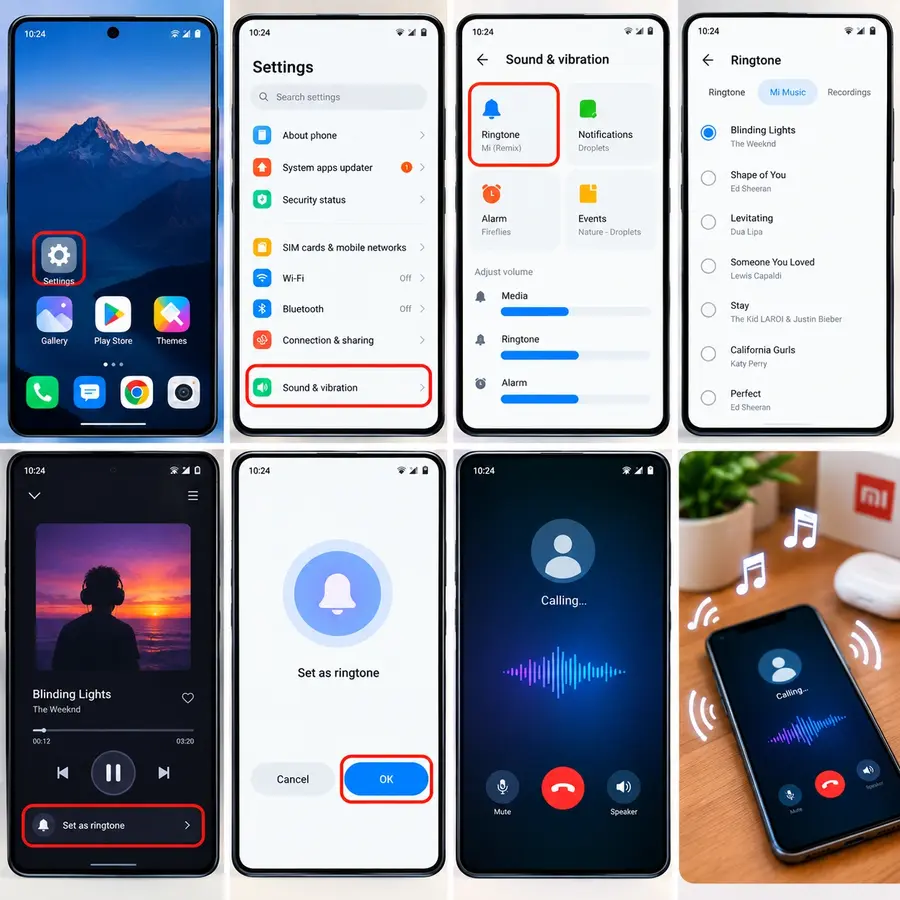
For Xiaomi, Redmi and POCO users having MIUI or HyperOS OS, go to Settings and click on Sound & Vibration. Tap on the current ringtone choice on the top of the screen.
And then tap on Choose Local Ringtone, after that open the file manager music app here and put your favorite song, finally click on OK at the bottom and then click on apply in front of the song name, now your favorite song will become the ringtone.
Setting Custom Sounds on OnePlus and Oppo Devices
If we use a mobile phone after setting the ringtone, then you can easily upload the song in your phone to Oppo or OnePlus.
How to Add Songs Directly to the System Ringtones Folder
If your downloaded song does not appear automatically inside your system sound picker, you can move it into the system ringtone directory manually. To keep different types of sounds in internal folders i.e. mp3 open your download file..
And file app manager first select internal storage in your phone to phone file then copy or move option then move it to copy or folder ringtones can be found in list ringtones will easily recognize the ringtone and audio file and android will be able to see it easily.
Assigning Unique Songs to Specific Contacts
By setting a different ringtone for a particular person, you can write on any screen of your phone without even understanding which call it is. For example, you are singing a beautiful song for your partner to your best friend. Select a song of your choice and save to connect to it.
Comparison of Android Ringtone Setup Methods
The easiest way to change the ringtone is in the scenario that you want to quickly set the ringtone and use a specific part of the song or set a separate green tune for external contacts.
| Method | Best Use Case | Setup Difficulty | Extra App Needed | Key Advantage |
| System Sound Settings | Setting a whole song as default tone | Very Easy | No | Built directly into phone software |
| Contacts Application | Setting unique tunes for specific people | Easy | No | Identifies callers without looking at screen |
| File Manager Folder | Organizing multiple custom audio files | Easy | Built-in File App | Keeps audio files organized in system folders |
| Audio Trimmer Apps | Cutting out specific choruses and hooks | Moderate | Yes (Free Trimmer) | Precision audio editing and custom fade-ins |
| Manufacturer Sound Pickers | Samsung and Xiaomi automatic highlights | Very Easy | No | Plays best musical parts automatically |
| Dedicated Ringtone Apps | Browsing free sound libraries | Easy | Yes (Zedge / Audiko) | Huge library of pre-trimmed sound effects |
Well you can also get a huge library of different pre-drummed sound effects that you can use as per your choice and each method helps you to customize the sound of incoming calls as well as you can easily set your phone ringtone to your liking and preference.
Best Practices for Choosing and Editing Ringtone Audio
If you want your custom ringtone to sound clear and good.
- then you should take care of these simple things, try to use at least 192 kbps or 320 kbps good quality audio fire.
- And it will not spoil the sound even on a small speaker. Add an effect and the sound is suddenly too loud when you turn it on.
- Save another backup copy of your custom ringtone to cloud storage and you can easily use it again after changing phones.
Troubleshooting Common Android Ringtone Problems
It’s a problem which sometimes comes to us that the ringtone custom we have installed doesn’t play and it also doesn’t appear in the list of ringtones and this can be easily resolved by making some few changes.
Song Not Showing in the Sound Picker
If your downloaded track does not appear in your sound picker, the system media scanner may have missed the file. This often happens if the audio was downloaded through third-party chat apps or hidden browser folders.
To fix this, move the audio file directly into the main “Ringtones” folder using your File Manager app. Restart your phone afterward so the Android system rescans and updates your internal sound library.
Ringtone Keeps Reverting to Default Sound
To set the custom ringtone default ringtone again after you restart the mobile, check file location of the ringtone, then set the ringtone again. When the phone is restarted, if there is a micro SD card in the audio file, then they disconnect it for some time.
That’s why the ringtone file can’t be found on the Android phone and will re-install the default ringtone. Should be saved in Stroj so the phone easily rings. Save it to the phone’s internal storage so that the file is always current in the phone and the ringtone is much less likely to default again.
Custom Ringtone Plays Without Any Sound
Applying your favorite ringtone is a very easy way to customize your Android phone and you don’t need any expensive software or any difficult technical methods at all. Download your favorite clean good quality song and trim your favorite part and save it in the correct folder and then you can easily change your phone call sound as you want.
Set Your Favorite Song as Ringtone Today
Once you learn how to set custom call icons on your Android phone, you can also easily change your SMS notification and morning alarm sounds.
Related: Video To Ringtone Converter
By having your favorite sounds, you can easily understand whether it is a normal notification app or someone’s important message.
| Android Ringtone Guide |
|---|
| Set Song as Ringtone |
| MP3 Ringtone Android |
If you want to set your favorite song to wake up in the morning, put it in the alarm clock, then that song can appear in the alarm sound option of your clock app.
Applying your favorite ringtone is a very easy way to customize your Android phone and you don’t need any expensive software or any difficult technical methods at all. Download your favorite clean good quality song and trim your favorite part and save it in the correct folder and then you can easily change your phone call sound as you want.